Latest Post

Internet Download Manager 6.26 build 7


WOW!

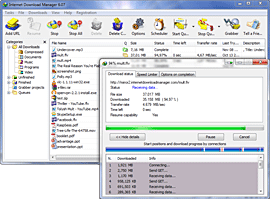
Internet Download Manager (IDM) is a tool to increase download speeds by up to 5 times, resume and schedule downloads. Comprehensive error recovery and resume capability will restart broken or interrupted downloads due to lost connections, network problems, computer shutdowns, or unexpected power outages. Simple graphic user interface makes IDM user friendly and easy to use.Internet Download Manager has a smart download logic accelerator that features intelligent dynamic file segmentation and safe multipart downloading technology to accelerate your downloads. Unlike other download managers and accelerators Internet Download Manager segments downloaded files dynamically during download process and reuses available connections without additional connect and login stages to achieve best acceleration performance.
Internet Download Manager supports proxy servers, ftp and http protocols, firewalls, redirects, cookies, authorization, MP3 audio and MPEG video content processing. IDM integrates seamlessly into Microsoft Internet Explorer, Netscape, MSN Explorer, AOL, Opera, Mozilla, Mozilla Firefox, Mozilla Firebird, Avant Browser, MyIE2, and all other popular browsers to automatically handle your downloads. You can also drag and drop files, or use Internet Download Manager from command line. Internet Download Manager can dial your modem at the set time, download the files you want, then hang up or even shut down your computer when it's done.

Other features include multilingual support, zip preview, download categories, scheduler pro, sounds on different events, HTTPS support, queue processor, html help and tutorial, enhanced virus protection on download completion, progressive downloading with quotas (useful for connections that use some kind of fair access policy or FAP like Direcway, Direct PC, Hughes, etc.), built-in download accelerator, and many others.
Version 6.26 adds Windows 10 compatibility, adds IDM download panel for web-players that can be used to download flash videos from sites like MySpaceTV, and others. It also features complete Windows 8.1 (Windows 8, Windows 7 and Vista) support, video page grabber, redeveloped scheduler, and MMS protocol support. The new version also adds improved integration for IE 11 and IE based browsers, redesigned and enhanced download engine, the unique advanced integration into all latest browsers, improved toolbar, and a wealth of other improvements and new features.

What's new in version 6.26 Build 7

(Released: Oct 01, 2016)
  • Fixed a problem with disabling of the Google Chrome extension
  • Fixed problems with video recognition for several types of web sites
  • Fixed a problem with disk space occupation
  • Fixed bugs

                      Winrar Password : muhammadaqibhussain.blogspot.com


                      Dropbox Download Link : 

                      http://adf.ly/8830493/idm-626-build-3-dropbox
                      IDMan 6.26 build 7 MuhammadAqibHussain.rar - 7.8 MB

                      Internet Download Manager 6.26 build 3


                      WOW!

                      Internet Download Manager (IDM) is a tool to increase download speeds by up to 5 times, resume and schedule downloads. Comprehensive error recovery and resume capability will restart broken or interrupted downloads due to lost connections, network problems, computer shutdowns, or unexpected power outages. Simple graphic user interface makes IDM user friendly and easy to use.Internet Download Manager has a smart download logic accelerator that features intelligent dynamic file segmentation and safe multipart downloading technology to accelerate your downloads. Unlike other download managers and accelerators Internet Download Manager segments downloaded files dynamically during download process and reuses available connections without additional connect and login stages to achieve best acceleration performance.
                      Internet Download Manager supports proxy servers, ftp and http protocols, firewalls, redirects, cookies, authorization, MP3 audio and MPEG video content processing. IDM integrates seamlessly into Microsoft Internet Explorer, Netscape, MSN Explorer, AOL, Opera, Mozilla, Mozilla Firefox, Mozilla Firebird, Avant Browser, MyIE2, and all other popular browsers to automatically handle your downloads. You can also drag and drop files, or use Internet Download Manager from command line. Internet Download Manager can dial your modem at the set time, download the files you want, then hang up or even shut down your computer when it's done.

                      Other features include multilingual support, zip preview, download categories, scheduler pro, sounds on different events, HTTPS support, queue processor, html help and tutorial, enhanced virus protection on download completion, progressive downloading with quotas (useful for connections that use some kind of fair access policy or FAP like Direcway, Direct PC, Hughes, etc.), built-in download accelerator, and many others.
                      Version 6.26 adds Windows 10 compatibility, adds IDM download panel for web-players that can be used to download flash videos from sites like MySpaceTV, and others. It also features complete Windows 8.1 (Windows 8, Windows 7 and Vista) support, video page grabber, redeveloped scheduler, and MMS protocol support. The new version also adds improved integration for IE 11 and IE based browsers, redesigned and enhanced download engine, the unique advanced integration into all latest browsers, improved toolbar, and a wealth of other improvements and new features.

                      What's new in version 6.26 Build 3

                      (Released: September 21, 2016)
                      • Added support for Firefox 50
                      • Improved IPV6 support
                      • Fixed bugs

                                        Winrar Password : muhammadaqibhussain.blogspot.com


                                        Dropbox Download Link : 

                                        http://adf.ly/8830493/idm-626-build-3-dropbox
                                        IDMan 6.26 build 3 MuhammadAqibHussain.rar - 7.7 MB

                                        Winrar 5.40 Final Version (32-bit + 64-bit)


                                        Compress, Encrypt, Package and Backup with only one utility

                                        Over 500 million users worldwide make WinRAR the world's most popular compression tool today.
                                        There is no better way to compress files for efficient and secure file transfer, faster e-mail transmission and well organized data storage. RAR and WinRAR are Windows 8 (TM) compatible, available in over 50 languages in both 32bit and 64bit and several operating systems (OS) and the only compression software that is fully accepted in all countries using Unicode. 
                                        WinRAR is the 32-bit and 64-bit Windows version of the RAR Archiver, the powerful archiver and archive manager. RAR files can, in most cases, compress content up to 30 percent more effectively than ZIP files. The most notable functions of WinRAR include very powerful document and multimedia file compression, file encryption, processing of other archive formats, programmable self-extracting (SFX) archives, damaged archive repair and Unicode support.

                                        WinRAR at a glance

                                        • WinRAR is a powerful compression tool with many integrated additional functions to help you organize your compressed archives.
                                        • WinRAR puts you ahead of the crowd when it comes to compression. By consistently creating smaller archives, WinRAR is often faster than the competition. This will save you disk space, transmission costs AND valuable working time as well.
                                        • WinRAR supports all popular compression formats (RAR, ZIP, CAB, ARJ, LZH, ACE, TAR, GZip, UUE, ISO, BZIP2, Z and 7-Zip).
                                        • WinRAR is ideal for multimedia files. WinRAR automatically recognizes and selects the best compression method. The special compression algorithm compresses multimedia files, executables and object libraries particularly well.
                                        • WinRAR allows you to split archives into separate volumes easily, making it possible to save them on several disks for example.
                                        • WinRAR is also ideal, if you are sending data through the web. Its 256 bit password encryption and its authenticated signature technology will give you the peace of mind you have been looking for.
                                        Whats New in Version 5.40 Final Version
                                         

                                           1. "Name encoding" submenu in "Options" menu allows to select
                                        encoding for archived file names. This selection affects archive
                                        browsing and extraction commands. You can use Ctrl+E keyboard
                                        shortcut to access this menu quickly.

                                        It can be useful when unpacking an archive without Unicode file names.
                                        For example, unpacking a zip file with Chinese archived names
                                        in Windows with Russian specified as a language for non-Unicode
                                        programs.

                                        2. If RAR recovery volumes (.rev files) are present in the same folder
                                        as usual RAR volumes, archive test command verifies .rev contents
                                        after completing testing .rar files.

                                        If you wish to test only .rev files without checking .rar volumes,
                                        you can select .rev files in WinRAR file list and apply "Test"
                                        only to them or run:

                                        rar t arcname.part1.rev

                                        in the command line.

                                        3. While NTFS file system permits file names with trailing spaces
                                        and dots, a lot of Windows programs fail to process such names
                                        correctly. If "Allow potentially incompatible names" option
                                        in "Advanced" page of extraction dialog is turned off, WinRAR removes
                                        trailing spaces and dots, if any, from file names when extracting.

                                        This option is turned off by default.

                                        Command line RAR also removes trailing spaces and dots when extracting
                                        unless -oni switch is specified.

                                        4. Previously "Synchronize archive contents" update mode
                                        (-as command line switch) aborted if some of archiving folders
                                        could not be read. Now WinRAR continues performing the operation
                                        and preserves archived files matching unreadable folders.

                                        5. WinRAR Shift+Del delete command can be used to delete folders
                                        containing non-standard file names with trailing spaces and dots.
                                        Usual delete to Recycle Bin also as Shift+Del in previous WinRAR
                                        versions cannot delete such folders.

                                        Unlike Del command, Shift+Del removes files permanently,
                                        they are not moved to Recycle Bin. No additional prompts are issued
                                        for files with read-only and system attributes.

                                        6. You can drag folders from folder tree panel and drop them to
                                        other programs or Desktop to copy or unpack them. Drag the archive
                                        icon in tree panel root to unpack the entire archive.

                                        7. "New folder" button in extraction dialog proposes a new folder name
                                        based on archive name instead of generic "New Folder".

                                        8. Command line RAR version information:

                                        a) if -iver switch is specified, RAR displays the version number
                                        and quits. You can run just "RAR -iver";

                                        b) "x86" or "x64" is displayed in Windows RAR version information
                                        both for -iver and in the copyright title for other commands.

                                        9. If -p switch is used without optional <pwd> parameter,
                                        a password can be also set with file redirection or pipe.

                                        For example: rar -p myarc.rar myfiles < psw.txt

                                        10. Command line RAR treats 'arcname.partN' as 'arcname.partN.rar'
                                        if 'arcname.partN' does not exist and 'arcname.part#.rar' exists.

                                        For example, it is allowed to run:

                                        RAR x arcname.part01

                                        to start extraction from arcname.part01.rar

                                        11. Improvements in 7z archives support:

                                        a) "Solid" status is correctly detected and reported for 7z archives
                                        in WinRAR "Info" command;

                                        b) dictionary size is displayed for LZMA and LZMA2 7z archives
                                        in WinRAR "Info" command;

                                        c) unknown packed size for files inside of 7z solid block is denoted
                                        as '?' instead of '0' when browsing the archive contents in WinRAR.

                                        12. Maximum comment length for RAR archives is increased from 64 to 256 KB.

                                        Since SFX script commands are stored in archive comment,
                                        it allows a longer main and license text in SFX archives.

                                        13. Size of default WinRAR viewer font is scaled up properly
                                        in Windows high DPI mode.

                                        14. Switch -scul can be used to process big endian UTF-16 list files
                                        as well, provided that they have a correct byte order mark.
                                        Previously it allowed only little endian file lists.

                                        15. Minimum supported Windows version is Windows XP SP3 now.
                                        WinRAR will not run in Windows XP without service packs.

                                        16. "Settings/File list/Allow all uppercase names" option is removed.
                                        This option was intended to simplify transition from MS DOS to
                                        Windows and is not needed anymore.

                                        17. Bugs fixed:

                                        a) WinRAR 5.31 x64 "Compress and email" command did not work
                                        with Microsoft Outlook x64;

                                        b) if WinRAR 5.31 version for one of right to left languages
                                        was installed in Windows with English or other not right to
                                        left system language, WinRAR could change Windows Explorer
                                        layout to right to left;

                                        c) if archive was stored in a folder without "Write" permission
                                        and if archive contents was extracted with drag and drop to
                                        a writable folder, WinRAR issued an unnecessary privileges 
                                                 elevation prompt.


                                        Winrar 5.40 Final Version 32-bit | 2.2 MB

                                        DropBox Download Link 64 bit:

                                        WinRar 5.40 Final Version 64-bit | 2.4 MB


                                        Winrar 5.40 beta 4 Latest Version (32-bit + 64-bit)


                                        Compress, Encrypt, Package and Backup with only one utility

                                        Over 500 million users worldwide make WinRAR the world's most popular compression tool today.
                                        There is no better way to compress files for efficient and secure file transfer, faster e-mail transmission and well organized data storage. RAR and WinRAR are Windows 8 (TM) compatible, available in over 50 languages in both 32bit and 64bit and several operating systems (OS) and the only compression software that is fully accepted in all countries using Unicode. 
                                        WinRAR is the 32-bit and 64-bit Windows version of the RAR Archiver, the powerful archiver and archive manager. RAR files can, in most cases, compress content up to 30 percent more effectively than ZIP files. The most notable functions of WinRAR include very powerful document and multimedia file compression, file encryption, processing of other archive formats, programmable self-extracting (SFX) archives, damaged archive repair and Unicode support.

                                        WinRAR at a glance

                                        • WinRAR is a powerful compression tool with many integrated additional functions to help you organize your compressed archives.
                                        • WinRAR puts you ahead of the crowd when it comes to compression. By consistently creating smaller archives, WinRAR is often faster than the competition. This will save you disk space, transmission costs AND valuable working time as well.
                                        • WinRAR supports all popular compression formats (RAR, ZIP, CAB, ARJ, LZH, ACE, TAR, GZip, UUE, ISO, BZIP2, Z and 7-Zip).
                                        • WinRAR is ideal for multimedia files. WinRAR automatically recognizes and selects the best compression method. The special compression algorithm compresses multimedia files, executables and object libraries particularly well.
                                        • WinRAR allows you to split archives into separate volumes easily, making it possible to save them on several disks for example.
                                        • WinRAR is also ideal, if you are sending data through the web. Its 256 bit password encryption and its authenticated signature technology will give you the peace of mind you have been looking for.
                                        Whats New in Version 5.40 beta 4
                                         

                                        1. Bugs fixed: 
                                           

                                          1. if ZIP archive contained an archive comment shorter than 24 characters, the comment page was not displayed in archive properties in Windows Explorer; 
                                             

                                          2. "WinRAR x *.rar" command crashed if complete .part1.rar, .part2.rar, ..., .partN.rar volume set was found when expanding *.rar mask. 


                                        Winrar 5.40 beta 4 32-bit | 2.2 MB

                                        DropBox Download Link 64 bit:

                                        WinRar 5.40 beta 4 64-bit | 2.4 MB


                                        Winrar 5.40 beta 3 Latest Version (32-bit + 64-bit)


                                        Compress, Encrypt, Package and Backup with only one utility

                                        Over 500 million users worldwide make WinRAR the world's most popular compression tool today.
                                        There is no better way to compress files for efficient and secure file transfer, faster e-mail transmission and well organized data storage. RAR and WinRAR are Windows 8 (TM) compatible, available in over 50 languages in both 32bit and 64bit and several operating systems (OS) and the only compression software that is fully accepted in all countries using Unicode. 
                                        WinRAR is the 32-bit and 64-bit Windows version of the RAR Archiver, the powerful archiver and archive manager. RAR files can, in most cases, compress content up to 30 percent more effectively than ZIP files. The most notable functions of WinRAR include very powerful document and multimedia file compression, file encryption, processing of other archive formats, programmable self-extracting (SFX) archives, damaged archive repair and Unicode support.

                                        WinRAR at a glance

                                        • WinRAR is a powerful compression tool with many integrated additional functions to help you organize your compressed archives.
                                        • WinRAR puts you ahead of the crowd when it comes to compression. By consistently creating smaller archives, WinRAR is often faster than the competition. This will save you disk space, transmission costs AND valuable working time as well.
                                        • WinRAR supports all popular compression formats (RAR, ZIP, CAB, ARJ, LZH, ACE, TAR, GZip, UUE, ISO, BZIP2, Z and 7-Zip).
                                        • WinRAR is ideal for multimedia files. WinRAR automatically recognizes and selects the best compression method. The special compression algorithm compresses multimedia files, executables and object libraries particularly well.
                                        • WinRAR allows you to split archives into separate volumes easily, making it possible to save them on several disks for example.
                                        • WinRAR is also ideal, if you are sending data through the web. Its 256 bit password encryption and its authenticated signature technology will give you the peace of mind you have been looking for.
                                        Whats New in Version 5.40 beta 3
                                         

                                        1. Bugs fixed: 
                                           

                                          1. RAR exited with code 6 (file open error) instead of expected code 10 (no files found) if file name specified for archiving did not exist; 
                                             

                                          2. WinRAR could issue an excessive sound notification in the middle of archiving if sound was enabled in WinRAR settings and "Put each file to separate archive" option turned on; 
                                             

                                          3. WinRAR did not delete a temporary file if ZIP archive modification was aborted, because ZIP archive had the read-only attribute; 
                                             

                                          4. WinRAR crashed if "Print file" command was applied to a file or folder without extension. 


                                        Winrar 5.40 beta 3 32-bit | 2.2 MB

                                        DropBox Download Link 64 bit:

                                        WinRar 5.40 beta 3 64-bit | 2.4 MB


                                        Winrar 5.40 beta 2 Latest Version (32-bit + 64-bit)


                                        Compress, Encrypt, Package and Backup with only one utility

                                        Over 500 million users worldwide make WinRAR the world's most popular compression tool today.
                                        There is no better way to compress files for efficient and secure file transfer, faster e-mail transmission and well organized data storage. RAR and WinRAR are Windows 8 (TM) compatible, available in over 50 languages in both 32bit and 64bit and several operating systems (OS) and the only compression software that is fully accepted in all countries using Unicode. 
                                        WinRAR is the 32-bit and 64-bit Windows version of the RAR Archiver, the powerful archiver and archive manager. RAR files can, in most cases, compress content up to 30 percent more effectively than ZIP files. The most notable functions of WinRAR include very powerful document and multimedia file compression, file encryption, processing of other archive formats, programmable self-extracting (SFX) archives, damaged archive repair and Unicode support.

                                        WinRAR at a glance

                                        • WinRAR is a powerful compression tool with many integrated additional functions to help you organize your compressed archives.
                                        • WinRAR puts you ahead of the crowd when it comes to compression. By consistently creating smaller archives, WinRAR is often faster than the competition. This will save you disk space, transmission costs AND valuable working time as well.
                                        • WinRAR supports all popular compression formats (RAR, ZIP, CAB, ARJ, LZH, ACE, TAR, GZip, UUE, ISO, BZIP2, Z and 7-Zip).
                                        • WinRAR is ideal for multimedia files. WinRAR automatically recognizes and selects the best compression method. The special compression algorithm compresses multimedia files, executables and object libraries particularly well.
                                        • WinRAR allows you to split archives into separate volumes easily, making it possible to save them on several disks for example.
                                        • WinRAR is also ideal, if you are sending data through the web. Its 256 bit password encryption and its authenticated signature technology will give you the peace of mind you have been looking for.
                                        Whats New in Version 5.40 beta 2


                                        1. Switch -scul can be used to process big endian UTF-16 list files, provided that they have the correct byte order mark. Previously it supported only little endian file lists. 
                                           

                                        2. 5.40 beta 1 did not work on CPU without SSE2 instruction set. 
                                           

                                        3. It could take excessively long time to cancel WinRAR "Repair" command on some corrupt archives. 
                                           

                                        4. If "Generate archive name by mask" option was used and archive was created in a system protected folder requiring privileges elevation, mask was added to archive name twice. 


                                        Winrar 5.40 beta 2 32-bit | 2.2 MB

                                        DropBox Download Link 64 bit:

                                        WinRar 5.40 beta 2 64-bit | 2.4 MB


                                        Winrar 5.40 beta 1 Latest Version (32-bit + 64-bit)


                                        Compress, Encrypt, Package and Backup with only one utility

                                        Over 500 million users worldwide make WinRAR the world's most popular compression tool today.
                                        There is no better way to compress files for efficient and secure file transfer, faster e-mail transmission and well organized data storage. RAR and WinRAR are Windows 8 (TM) compatible, available in over 50 languages in both 32bit and 64bit and several operating systems (OS) and the only compression software that is fully accepted in all countries using Unicode. 
                                        WinRAR is the 32-bit and 64-bit Windows version of the RAR Archiver, the powerful archiver and archive manager. RAR files can, in most cases, compress content up to 30 percent more effectively than ZIP files. The most notable functions of WinRAR include very powerful document and multimedia file compression, file encryption, processing of other archive formats, programmable self-extracting (SFX) archives, damaged archive repair and Unicode support.

                                        WinRAR at a glance

                                        • WinRAR is a powerful compression tool with many integrated additional functions to help you organize your compressed archives.
                                        • WinRAR puts you ahead of the crowd when it comes to compression. By consistently creating smaller archives, WinRAR is often faster than the competition. This will save you disk space, transmission costs AND valuable working time as well.
                                        • WinRAR supports all popular compression formats (RAR, ZIP, CAB, ARJ, LZH, ACE, TAR, GZip, UUE, ISO, BZIP2, Z and 7-Zip).
                                        • WinRAR is ideal for multimedia files. WinRAR automatically recognizes and selects the best compression method. The special compression algorithm compresses multimedia files, executables and object libraries particularly well.
                                        • WinRAR allows you to split archives into separate volumes easily, making it possible to save them on several disks for example.
                                        • WinRAR is also ideal, if you are sending data through the web. Its 256 bit password encryption and its authenticated signature technology will give you the peace of mind you have been looking for.
                                        Whats New in Version 5.40 beta 1


                                        1. "Name encoding" submenu in "Options" menu allows to select encoding for archived file names. This selection affects archive browsing and extraction commands. You can use Ctrl+E keyboard shortcut to access this menu quickly. 
                                           
                                          It can be useful when unpacking an archive without Unicode file names. For example, unpacking a zip file with Chinese archived names in Windows with Russian specified as a language for non-Unicode programs. 
                                           

                                        2. If RAR recovery volumes (.rev files) are present in the same folder as usual RAR volumes, archive test command verifies .rev contents after completing testing .rar files. 
                                           
                                          If you wish to test only .rev files without checking .rar volumes, you can select .rev files in WinRAR file list and apply "Test" only to them or run: 
                                           
                                          rar t arcname.part1.rev 
                                           
                                          in the command line. 
                                           

                                        3. While NTFS file system permits file names with trailing spaces and dots, a lot of Windows programs fail to process such names correctly. If "Allow potentially incompatible names" option in "Advanced" page of extraction dialog is turned off, WinRAR removes trailing spaces and dots, if any, from file names when extracting. 
                                           
                                          This option is turned off by default. 
                                           
                                          Command line RAR also removes trailing spaces and dots when extracting unless -oni switch is specified. 
                                           

                                        4. Previously "Synchronize archive contents" update mode (-as command line switch) aborted if some of archiving folders could not be read. Now WinRAR continues performing the operation and preserves archived files matching unreadable folders. 
                                           

                                        5. WinRAR Shift+Del delete command can be used to delete folders containing non-standard file names with trailing spaces and dots. Usual delete to Recycle Bin also as Shift+Del in previous WinRAR versions cannot delete such folders. 
                                           
                                          Unlike Del command, Shift+Del removes files permanently, they are not moved to Recycle Bin. No additional prompts are issued for files with read-only and system attributes. 
                                           

                                        6. You can drag folders from folder tree panel and drop them to other programs or Desktop to copy or unpack them. Drag the archive icon in tree panel root to unpack the entire archive. 
                                           

                                        7. "New folder" button in extraction dialog proposes a new folder name based on archive name instead of generic "New Folder". 
                                           

                                        8. Command line RAR version information:

                                          1. if -iver switch is specified, RAR displays the version number and quits. You can run just "RAR -iver"; 
                                             

                                          2. "x86" or "x64" is displayed in Windows RAR version information both for -iver and in the copyright title for other commands. 


                                        9. If -p switch is used without optional <pwd> parameter, a password can be also set with file redirection or pipe. 
                                           
                                          For example: rar -p myarc.rar myfiles < psw.txt 
                                           

                                        10. Command line RAR treats 'arcname.partN' as 'arcname.partN.rar' if 'arcname.partN' does not exist and 'arcname.part#.rar' exists. 
                                           
                                          For example, it is allowed to run: 
                                           
                                          RAR x arcname.part01 
                                           
                                          to start extraction from arcname.part01.rar 
                                           

                                        11. Improvements in 7z archives support:

                                          1. "Solid" status is correctly detected and reported for 7z archives in WinRAR "Info" command; 
                                             

                                          2. dictionary size is displayed for LZMA and LZMA2 7z archives in WinRAR "Info" command; 
                                             

                                          3. unknown packed size for files inside of 7z solid block is denoted as '?' instead of '0' when browsing the archive contents in WinRAR. 


                                        12. Maximum comment length for RAR archives is increased from 64 to 256 KB. 
                                           
                                          Since SFX script commands are stored in archive comment, it allows a longer main and license text in SFX archives. 
                                           

                                        13. Size of default WinRAR viewer font is scaled up properly in Windows high DPI mode. 
                                           

                                        14. Minimum supported Windows version is Windows XP SP3 now. WinRAR will not run in Windows XP without service packs. 
                                           

                                        15. "Settings/File list/Allow all uppercase names" option is removed. This option was intended to simplify transition from MS DOS to Windows and is not needed anymore. 
                                           

                                        16. Bugs fixed: 
                                           

                                          1. WinRAR 5.31 x64 "Compress and email" command did not work with Microsoft Outlook x64; 
                                             

                                          2. if WinRAR 5.31 version for one of right to left languages was installed in Windows with English or other not right to left system language, WinRAR could change Windows Explorer layout to right to left; 
                                             

                                          3. if archive was stored in a folder without "Write" permission and if archive contents was extracted with drag and drop to a writable folder, WinRAR issued an unnecessary privileges elevation prompt.


                                        Winrar 5.40 beta 1 32-bit | 2.2 MB

                                        DropBox Download Link 64 bit:

                                        WinRar 5.40 beta 1 64-bit | 2.3 MB


                                        Muhammad Aqib Hussain

                                        {picture#https://blogger.googleusercontent.com/img/b/R29vZ2xl/AVvXsEgxtuUAt869PrPFkcTzwszEVBZVTrk03zBxQmWCPRon70t-PBItgSI9GeSKPrx6tj7YQieNXcE9SPM9GyI1LGBB2Z0Byj3DTjTono5b5oCU76_ew0Hp8FgVp6_B2ECvXgzg14XnkFhLayg/s320/11111.png} Free Download Games and Softwares with Crack for PC and Android. {facebook#https://web.facebook.com/MuhammadAqibHussainOfficial} {twitter#https://twitter.com/Aqib2001} {google#https://plus.google.com/+MuhammadAqibHussain2016} {pinterest#https://www.pinterest.com/aqibhussain509/} {youtube#https://www.youtube.com/c/MuhammadAqibHussain2016} {instagram#https://www.instagram.com/aqib2016/}

                                        Contact Form

                                        Name

                                        Email *

                                        Message *

                                        Powered by Blogger.